


Edit PDF
Edit the words already on the page
Edit PDF text online without covering it up. Fix a figure or rewrite a sentence and FynePDF changes the real text in its own font. Add images, shapes or a signature.

Edit by hand or prompt, review with 15 specialist agents and run workflows. Start free, no signup.
Say it in a sentence. Review the steps. Tap Run.
Compare multiple docs (resumes, assignments, etc)


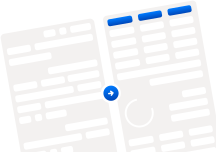

The FynePDF workspace
Edit PDF text yourself, open your files on any device, and batch process whole folders with saved workflows. Every PDF tool is free to start.
Edit PDF
Edit PDF text online without covering it up. Fix a figure or rewrite a sentence and FynePDF changes the real text in its own font. Add images, shapes or a signature.
40+ PDF tools
Merge, split, compress and convert PDFs online. Ten free tasks a day, no sign-up.
PDF workflowsNew
Chain Compress, Watermark and Protect, test a step on a sample, then run your batch. Check each file’s result and download the outputs together.
Library
Save PDFs to your online library and pick up where you left off on any device.
API & MCPComing soon
In 2027, the FynePDF REST API will bring PDF processing and document-aware AI to your app, and an MCP server will connect Claude, ChatGPT and other AI assistants.
Chat with a file, summarize a report, compare versions, read a scan.
 Chat with PDFAI
Ask questions about your document and explore answers with page citations.
 Compare PDFAI
Compare document similarities, differences, and terms with source citations.
 Summarize PDFAI
Turn long documents into clear key points and insights fast.
 OCR PDFAI
Turn scans and images into searchable, selectable text in one click.
 PDF to ExcelAI
Convert PDF tables into editable Excel rows and columns.
 Redact PDFAI
Permanently remove sensitive text from your PDF.
Review resumes, contracts and statements with AI.
 Gone in 15 minutes
Cloud files are removed within 15 minutes after processing or your AI session ends.
 Never Used for training
Your documents never train our models, or anyone else's. That's a guarantee.
 No account needed
Start with a PDF tool or an AI review. Free daily limits apply; no card required.
Fix a page, understand a contract or prepare a batch for delivery. Choose the task in front of you; the rest of your PDF workspace is here when you need it.
