fynepdf logo
Case Brief Summarizer

Case Brief Summarizer

Turn long court opinions into structured case briefs, IRAC style.

Master Precedent Faster

Supports PDF, TXT and more

You“What was the core legal issue?”
AI AvatarFyne Bot“Whether the defendant...”

or drop your file here

File upload

Brief Any Case in 3 Simple Steps

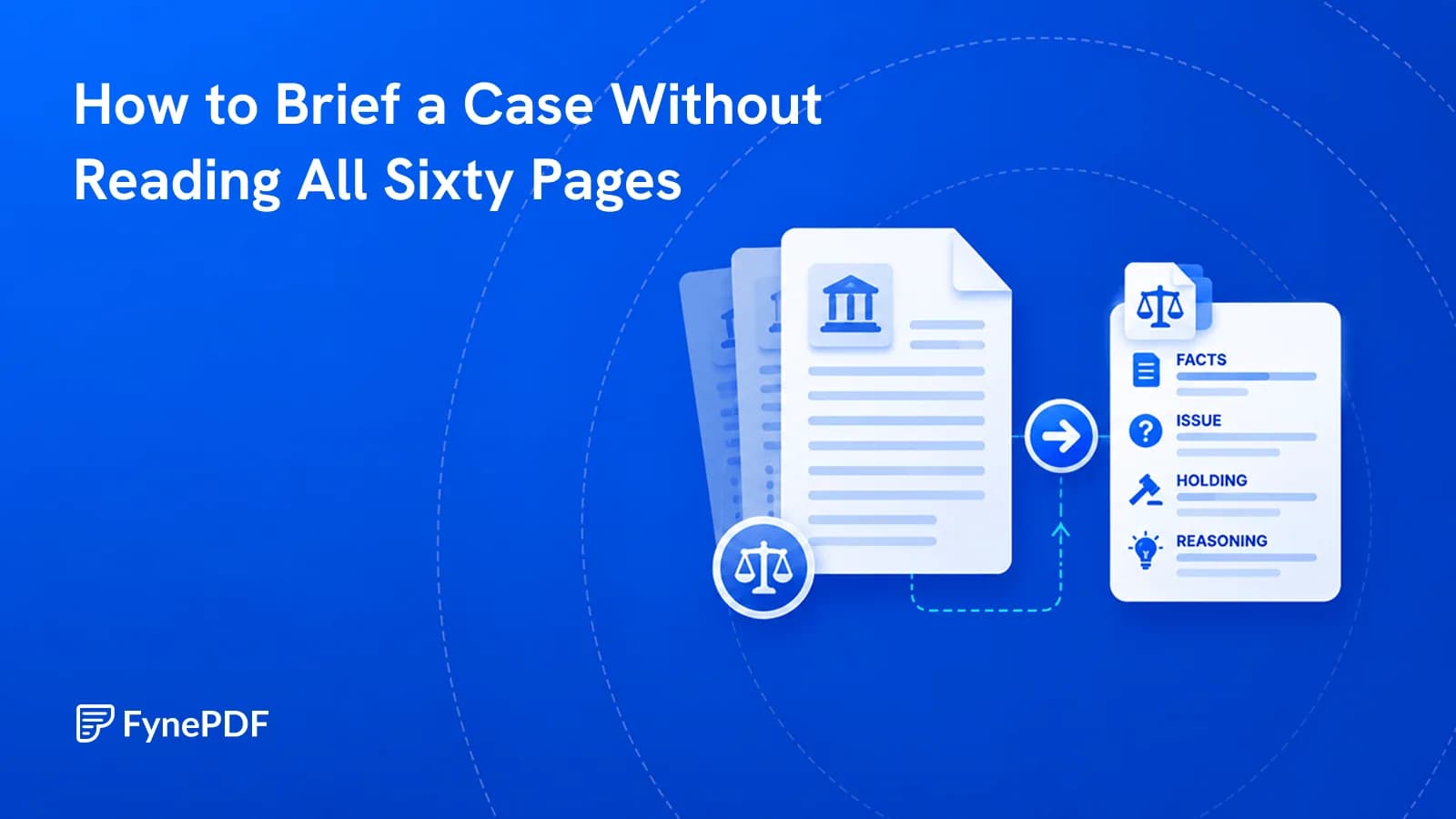
Organize the facts, issue, reasoning, and holding from a court opinion with citations.
Secure Upload
Secure Upload

Drag your PDF court rulings or appellate opinions into our workspace.
AI Extraction
AI Extraction

The agent finds the procedural history, rules and the court's rationale.
Review & Export
Review & Export

Get a cleanly formatted brief. Ask follow-up questions or export to notes.

Build a Clear Case Brief

Connect the facts, legal rule, reasoning, and holding.

Summarize a court opinion into a case brief you can explore. Ask about the issue, rule, reasoning, or holding, and return to the cited pages to check how the court reached its conclusion.

Build an IRAC Brief

Organize issues, rules, reasoning, and outcome.

Trace the Case History

Summarize the case's procedural path.

Explain Legal Language

Clarify Latin terms and court reasoning.

file-icon
Palsgraf_v_LongIsland.pdf248 N.Y. 339 (1928)
Summarize the dissenting opinion.
AIAndrews wrote the dissent. He disagreed with Cardozo's "zone of danger" test. Here is the core argument:
Dissent ArgumentAndrews argued that duty is owed to society at large, not just a foreseeable plaintiff. If an act is negligent, the defendant is liable for all proximate consequences, regardless of foreseeability.
Key TakeawayLiability should be determined by “proximate cause” (a chain of events), not just “foreseeability.”
p.4Copy

Read the reasoning behind the ruling.

Build a case brief from the opinion's facts, legal issues, reasoning, and outcome.

Holding and Reasoning

Separate the court's holding from supporting discussion. Ask how the facts, legal rule, and reasoning connect in the opinion you uploaded.

Unclear Findings

Review ambiguity or disagreement in the court's opinion. Ask what remains unclear and check the relevant passages before using the brief.

Cited Precedents

Find precedents mentioned in the opinion and how the court uses them. Review those references within the case, then consult the originals.

Explain, Summarize, Ask

Select text in your PDF to explain a term, summarize a passage, or ask a question. Explore the detail you need without retyping it into chat.

Highlighted Sources

Click a page citation to open your PDF at the source. When a text match is found, the passage is highlighted so you can check the AI answer.

Export Tables as CSV

Download tables from AI answers as CSV files. Keep the rows and columns ready for Excel, Google Sheets, or your next document analysis.

Case Reading with Clear Sources

Organize facts, issues, holdings, and reasoning from the opinion you upload.

Law Students

Build a case outline from the facts, issues, and holding in an opinion. Ask about the reasoning and check cited passages before class discussion.

Paralegals

Summarize a court opinion into a working brief for your legal team. Follow page citations to verify the facts and reasoning in the document.

Attorneys

Review the reasoning and outcome of an uploaded opinion. Ask focused questions about cited passages while preparing your own case analysis.

Document Privacy

How your files are handled during and after your session.

No AI Training

Your documents are used for your session and are never used to train AI models.

Encrypted Transfers

TLS protects document transfers between your browser and FynePDF.

Auto-Deletion

Your file is deleted within 24 hours of upload, unless you save it to your Library.

Privacy Policy

Read how we handle document data and how to contact us about access, export, or deletion.

Your case document is processed to prepare the brief and explanations you request. FynePDF staff do not manually open or review your file contents.

AI features may send document content to the Google Gemini API to produce the output you request. Documents are not used to train AI models. Temporary files follow the deletion policy; saved documents follow the Library storage policy.
Read our full Security Policy.

Frequently Asked Questions

Does it use the traditional IRAC format?

Yes. Ask for IRAC, Issue, Rule, Application, Conclusion, or CREAC, or whatever structure your professor wants, and the brief comes back in that shape. By default it produces a fuller breakdown: case overview, court and jurisdiction, key facts, procedural history, the issue, the holding, the court's reasoning, the rule of law, and the precedents relied on. That default is more than IRAC needs, so students often generate it first and then ask for the IRAC version once they've seen the whole picture.

Can it read older, scanned court documents?

Yes, with nothing extra to do, OCR runs automatically on every upload, so a scanned reporter volume or a photographed casebook page is read the same way a digital PDF is. Quality still matters: a clean scan of a 19th-century opinion is read reliably, while a faint microfilm copy with broken type will lose words. If a brief comes back with gaps in the facts, the scan is almost always why rather than the length of the opinion.

Is this a substitute for reading the case?

No, and it isn't built to be. What it gives you is the map: which facts the court treated as decisive, how the case got to this court, where the holding actually sits, and which parts are dicta. Read the opinion with that in hand and you know what you're looking at rather than discovering it on page forty. For a cold call, the brief tells you the structure; the passages you'll be asked to defend still have to be read. The page citations are there so you can go straight to them.

Can I use the Case Brief Summarizer for free?

Yes. Read a document overview without signing in, then try one AI answer by typing a question, choosing a suggestion, or running the analysis. Each new upload gets one answer, shared across tools and agents. A paid plan unlocks further interactions within its AI allowance.

How secure are my files and data?

File transfers use TLS encryption. AI features may send document content to the Google Gemini API to generate the output you request. Documents are not used to train AI models. Temporary AI files are deleted within 24 hours of upload; files saved to your Library follow the Library storage policy. Read the Privacy Policy for details.

What is IRAC, and how do I use it?

Issue, Rule, Application, Conclusion, the standard structure for analysing a case and, more importantly, the structure most law exams expect an answer in. The issue is the precise legal question the court had to decide, usually narrower than the dispute itself. The rule is the principle the court applied, which is often stated somewhere other than where you'd expect. The application is the court reasoning from that rule to these facts, and it's the part worth the most marks because it's where the thinking happens. The conclusion is what the court actually ordered. The commonest mistake is writing the issue too broadly, "was the railroad negligent" instead of "was the harm to a plaintiff standing at a distance reasonably foreseeable."

How do I brief a case properly?

Read for the structure rather than start to finish. Find the procedural history first, who sued, who won below, why it's here, because it tells you what the court is actually being asked. Then the facts, but only the ones the court relies on in its reasoning; a casebook opinion is full of detail the holding never touches. Then the issue, the holding, and the reasoning that connects them. Keep dicta separate: judges say a great deal that isn't the rule, and citing it back is the fastest way to lose an argument. Concurrences and dissents matter for understanding why the majority drew the line where it did, and dissents have a habit of becoming the law twenty years later.

Which cases can it brief?

Any opinion you can upload as a PDF, US federal and state, appellate and trial, plus foreign jurisdictions. It works from the document rather than a database, which means it handles the ones brief libraries don't: recent decisions, unpublished opinions, state cases from smaller jurisdictions, foreign judgments, and whatever your professor handed out as a photocopy. It has no external case database and can't look up a case by name, so you need the text, but if you have the reading, you can brief it.

What's the difference between the holding and dicta?

The holding is the rule the court applied to decide this case, the part that binds later courts. Dicta is everything else the opinion says: hypotheticals, observations about how a different case might come out, remarks about policy. The line is genuinely contested, courts disagree about where it falls, and a lot of famous language turns out to be dicta on inspection. The agent separates them and flags where the distinction is arguable rather than picking for you, because a brief that resolves an ambiguity the court left open is worse than one that names it.

Can I rely on this for work I'm filing?

Not without reading the opinion yourself. It's a research aid: it maps the structure of a case and cites the page for each part, which is genuinely useful when you're working through a stack of authorities. It isn't legal advice, it can't open the cases the opinion cites, and it won't tell you whether a precedent is still good law, there's no citator and no external database behind it. For anything going into a filing or a memo a partner will sign, treat the brief as your starting point and verify against the text and a citator.