fynepdf logo

Print PDF as Booklet

Put pages in fold order for a stapled booklet, or fit 2 to 8 pages on a sheet.

  • Right-to-left order supported
  • No watermark on downloads

or drop your file here

File upload

Booklet and N-Up Layouts

Fold-ready booklets, or 2, 4, 6 and 8 pages arranged on a single sheet.

Global Reading Orientations

Left-to-right or right-to-left order for manga, Arabic, Persian or Hebrew.

Photo Proof Sheets

Print a photo book or portfolio 8-up to check order and layout at a glance.

Create an N-up PDF in Three Steps

Layout your PDF in three steps, no software to install, no account needed.

1

Upload your PDF

Drag and drop or select your document up to 600MB on the free plan and 5GB on paid.

2

Configure your layout

Choose booklet, or 2, 4, 6 or 8 pages per sheet, then pick your reading direction.

3

Download the Result

Your newly formatted, multi-page layout is ready to download immediately and auto-deleted after 15 min.

Format for Print, Booklets, and Global Audiences.

Condensing multiple pages onto one sheet saves paper and makes reading easier. Here is how advanced imposition tools optimize your files.

Manga & Comic Formatting

Arrange digital manga or comic pages for printing. Use our Right-to-Left orientation to keep the authentic reading flow intact.

Arabic, Farsi & Hebrew Texts

Correctly impose documents written in right-to-left languages. Ensure your layout matches the natural reading direction before sharing.

Meeting Handouts

Stop printing massive presentations. Condense your pitch deck into a clean 4-up or 6-up layout for compact, professional handouts.

Save Paper & Ink

Use fewer sheets for printed reference material. Print up to 8 pages per sheet to save paper and expensive toner.

Booklet & Zine Creation

Prepare your standard PDF files for physical booklet making, indie zines, or saddle-stitch binding by arranging pages side-by-side.

Pocket-Sized Study Guides

Condense heavy textbooks or lecture notes into an 8-up grid. Print out portable reference sheets for revision.

How booklet and n-up layouts work

FynePDF scales each page down and places it onto a larger sheet, keeping proportions intact so nothing is stretched or cropped. N-up arranges pages in straightforward reading order across the grid. Booklet mode works differently, it reorders your pages into fold order first, so a double-sided print folds into a book.

Pages per sheet

Choose 2, 4, 6 or 8 pages per sheet. Each page scales to fit its cell and keeps its aspect ratio, so nothing is distorted.

Booklet fold order

For an 8-page document, sheet one carries pages 8 and 1 on the front, 2 and 7 on the back. Print double-sided, fold once, read straight through.

Reading direction

Right-to-left ordering mirrors each pair so page one sits on the right, correct for manga, Arabic, Farsi and Hebrew documents.
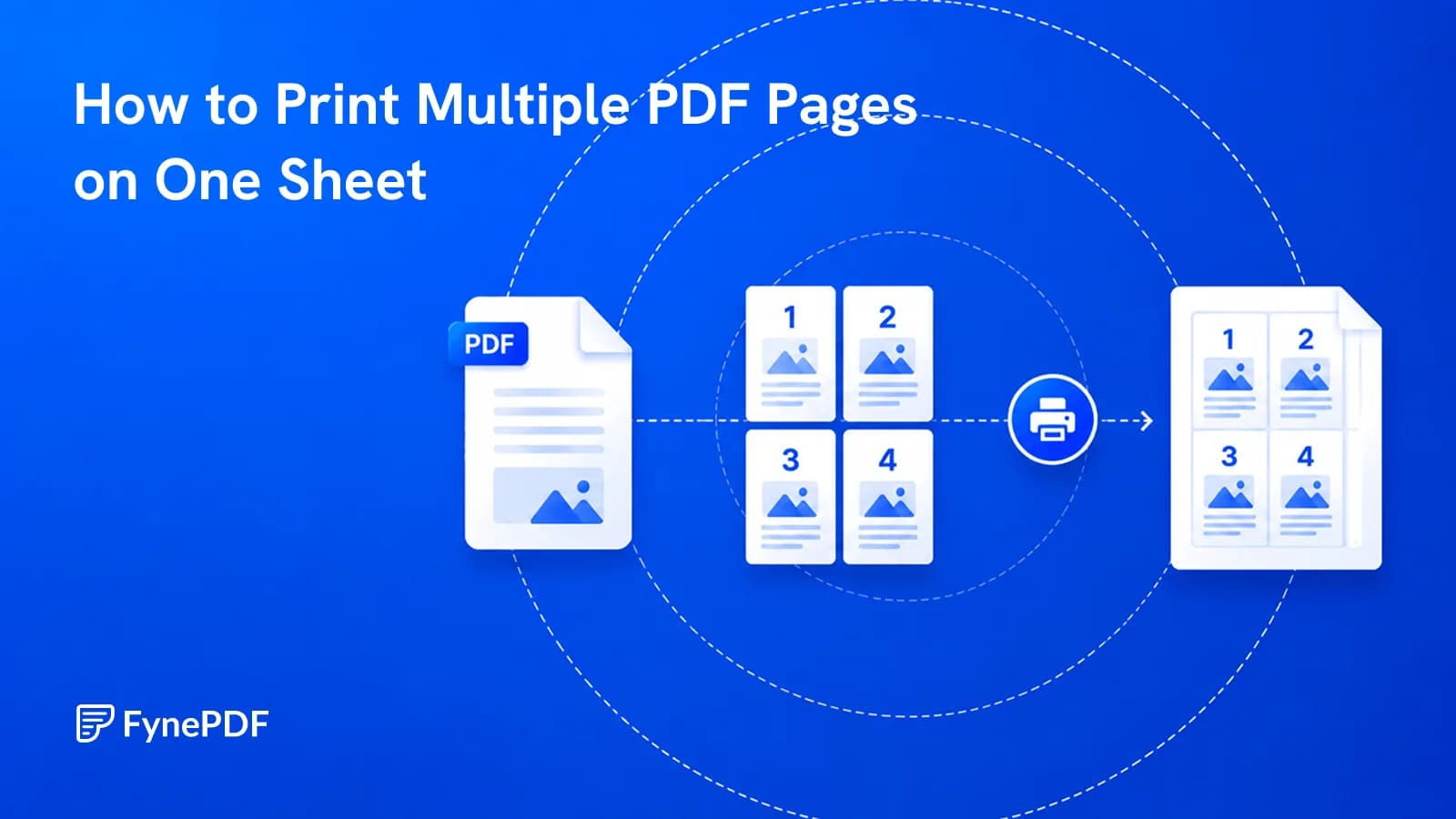
After applying N-UP

Frequently Asked Questions

What is N-Up printing and how do I use it?

N-up printing places several pages of your PDF onto one sheet 2, 4, 6 or 8 pages per sheet with FynePDF. Upload your file, choose your layout, pick your reading direction, and download. It's the standard way to turn a long presentation into compact handouts, print A5 pages 4-up on A3, or cut a lecture pack down to a few sheets.

Can I create booklets with proper page ordering for folding?

Yes. Booklet mode reorders your pages into fold order rather than simply placing them side by side, so printing double-sided and folding down the middle gives you a booklet that reads straight through from page one. Documents are padded to a multiple of four pages with blanks where needed, and right-to-left ordering is supported for manga and Arabic-script documents.

Is the N-Up & Impose tool free to use online?

Yes, FynePDF's N-Up & Impose tool is free with no sign-up required. Free accounts process files up to 600MB, with 10 tasks and 600MB of processing a day. Professional at $7/month raises this to 5GB with unlimited daily tasks.

Is it safe to use N-Up & Impose on FynePDF? Are my files secure?

File transfers use TLS encryption. Cloud-processed files are automatically deleted within 15 minutes after processing completes, unless you choose to save them to your Library. Documents are not used to train AI models. Read the Privacy Policy for storage and processing details.

Can I use the N-Up & Impose tool on Mac, Windows, or mobile?

Yes. FynePDF's booklet and n-up tool works directly from your browser, so it works on Windows, Mac, Linux, iOS and Android with no installation. Chrome, Firefox, Safari and Edge are all supported.

How do I print a PDF as a booklet?

Upload your PDF, choose booklet mode, and download the imposed file. Print it double-sided with short-edge binding, fold the stack down the middle, and the pages read in order from front to back. FynePDF pads your document to a multiple of four pages automatically, so a 6-page file becomes an 8-page booklet with two blanks.

What's the difference between this and my printer's "multiple pages per sheet" setting?

Your printer's setting applies the layout at print time only the file itself is unchanged, and anyone you send it to has to configure their own printer the same way. FynePDF builds the layout into a new PDF, so the arrangement travels with the file. That matters when you're emailing handouts, sending to a print shop, or sharing study notes. Printer settings also can't reorder pages for booklet folding.

Can I keep right-to-left reading order for manga or Arabic documents?

Yes. Choose right-to-left ordering and pages are arranged so the first page sits on the right of each sheet, preserving the natural reading direction for manga, Arabic, Farsi and Hebrew documents. This works for booklets as well as n-up layouts, most tools only support left-to-right, which reverses the reading order of these documents entirely.

Will the text be too small to read at 4-up or 8-up?

Pages are scaled to fit, so a 4-up A4 layout puts each page at roughly A6 size comfortable for slides and presentation handouts, tight for dense body text. Stick to 2-up or 4-up for documents you'll actually read, and use 6-up or 8-up for reference sheets and quick scanning. Booklet mode keeps pages at half the sheet size, so readability stays close to the original.