fynepdf logo

Every PDF tool on your desktop.No daily limits, even offline.

Edit, convert, sign, print and design PDFs in one fast app that speaks your language. Free for Windows and Linux, with the same account and Library as fynepdf.com.

Free · Windows 10 and 11 · From the Microsoft Store

Everything you do on fynepdf.com. Without the limits.

The same tools and the same account, in an app that runs on your computer, keeps working offline and does a few things only the app can do.

43 free PDF toolsFree

No daily limits. No file caps.

Compress, merge, split, convert and OCR as much as you like, on files of any size. Bates numbering and PDF/A come with a paid plan.

13 languages

Speaks your language

Every screen and message, in 13 languages from English to Arabic.

Your computer

Opens right from your files

Double-click any PDF to open it, even offline, and save the results anywhere.

Print StudioPaid plans

Print-ready, from the app

Booklets, pages per sheet, CMYK and bleed. Plain printing is free on every plan.

Create

Design it, then print it or send it

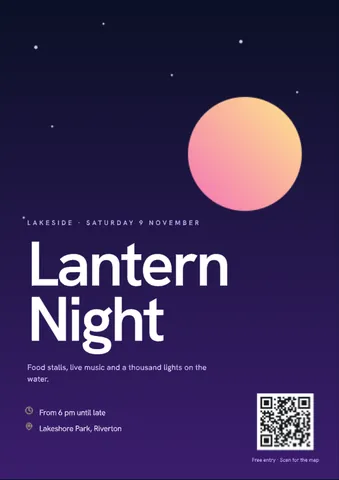
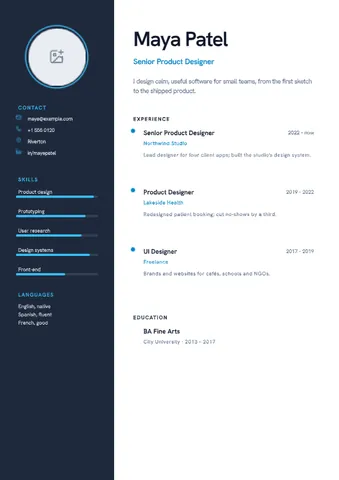
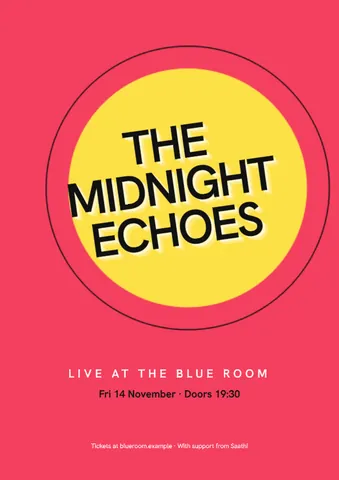
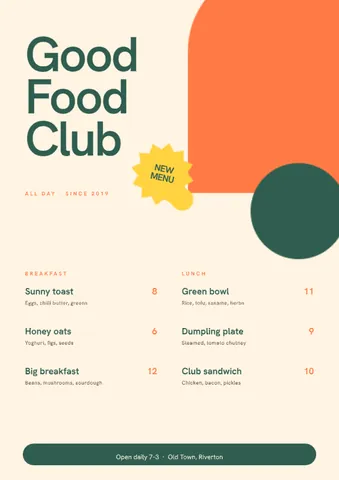
Flyers, posters, résumés, invitations and more from 126 templates, 39 of them free. Save them as PDF, PNG, JPG or SVG.

Tell FynePaid plans

Say what you need. Fyne does it.

Describe the change in a sentence, check the steps, then run them. Or pick one of 15 agents for résumés, contracts, statements and more.

Free to start. Unlock the rest when you need it.

The app uses your FynePDF plan, so one plan covers the app and fynepdf.com.

Free

Everything you need for PDFs

$0forever

No card needed

Download free
  • 43 PDF tools, with no daily limits
  • Files of any size
  • Edit, fill in and sign PDFs
  • Create, with 39 free templates
  • Plain printing
  • 13 languages, and it works offline
  • Light and Dark themes
  • 500 MB of Library storage

Compare plans in the app

Every feature, plan by plan.

What's free and what comes with a paid plan in the FynePDF app
FreeProfessionalPremium
PDF tools
PDF toolsNo daily limits or file caps43 of 45All 45All 45
Many files in one runMerge, Compare and Images to PDF always canOne at a timeIncludedIncluded
Bates numberingWith saved profilesNot includedIncludedIncluded
PDF/AFor archivingNot includedIncludedIncluded
Compress to a size or DPIFree picks a levelNot includedIncludedIncluded
Find text to redactBy phrase, data type or AINot includedIncludedIncluded
Digital signaturesWith a certificateNot includedIncludedIncluded
Signers per request1Up to 10Up to 10
Create and print
Create templates39 of 126All 126All 126
Brand kitYour logo and details on filesOne letterheadIncludedIncluded
PrintingBooklets, CMYK and bleedPlainPrint StudioPrint Studio
WorkflowsSaved, and files a run1 run a day10 saved, 25 files25 saved, 100 files
AI and cloud
Tell Fyne and 15 AI agentsChat with, summarize, compareNot includedIncludedIncluded
Monthly AI allowanceNot includedIncludedTwice as much
AI file sizeNot included100 MB250 MB
Cloud drivesGoogle Drive, Dropbox, OneDriveNot includedIncludedIncluded
Library storage500 MB5 GB15 GB
The app
ThemesLight and DarkAll sevenAll seven
13 languages, offlineIncludedIncludedIncluded
SupportSocial mediaEmail24/7 chat

Prices, team plans and web limits: Compare every plan

Seven themes. Seven worlds.

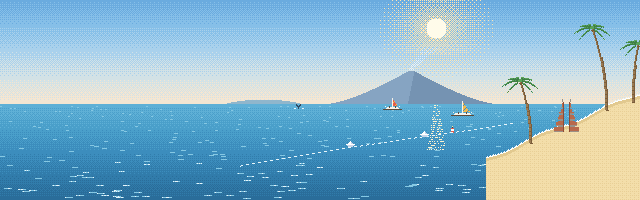
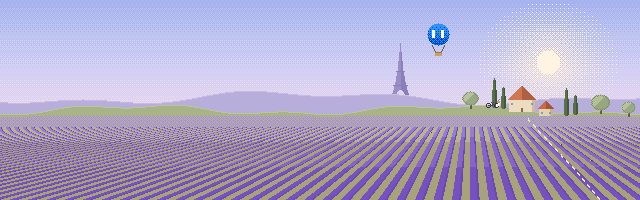
Each theme brings its own pixel-art world to Home: a meadow, a lake at night, Japan, Bali, Rio, Provence and a neon Shanghai. Light and Dark are free; the other five come with a paid plan.

Fyne flies a kite over the meadowFree

Pick your platform

Windows and Linux today. Mac, iPhone, iPad and Android are on the way.

Windows

Windows 10 and 11 · 64-bit
Coming soon
Get it from MicrosoftDownload installer
Microsoft StoreDownload page

Easy to install

From the Microsoft Store on Windows, and as one file on Linux.

Runs on your computer

The PDF tools work on your device, even offline. Only online features send files.

Frequently Asked Questions

What is the FynePDF app?

A PDF app for Windows and Linux. It edits, converts, compresses, signs, prints and designs PDFs on your computer, with 45 PDF tools, Edit PDF, Print Studio and Create. It uses the same account, plan and Library as fynepdf.com.

Is the FynePDF desktop app free?

Yes. It's free to download, and 43 of its 45 PDF tools are free, with no daily limits or file caps. Bates numbering, PDF/A, many files in one run, Print Studio, 87 of the 126 templates, the brand kit, Tell Fyne and the agents, cloud drives and five of the seven themes come with Professional or Premium, the same plans as on fynepdf.com.

Do I need an account?

Yes, a free FynePDF account. You sign in once, and your plan and your Library are the same in the app and on fynepdf.com.

What do Professional and Premium add?

Professional unlocks the whole app: Tell Fyne and the 15 AI agents, many files in one run, Bates numbering and PDF/A, all 126 templates and the brand kit, Print Studio, digital signatures, finding text to redact, cloud drives, all seven themes and 5 GB of storage. Premium adds 15 GB of storage, 25 saved workflows, AI on files up to 250 MB, twice the monthly AI allowance and priority support.

Can I edit the text in a PDF?

Yes. Edit PDF changes the text that's already there, adds your own, fills in forms and signs, on your computer and on the Free plan.

What is Tell Fyne?

The app's assistant, on a paid plan. Describe what you want in a sentence, such as "compress this and add page numbers", check the steps it suggests, then run them. Its 15 agents handle documents like résumés, contracts and bank statements.

What are Print Studio and Create?

Print Studio gets PDFs ready for print: booklets, pages per sheet, CMYK, bleed and a hot folder. It comes with a paid plan, and plain printing is free. Create designs flyers, posters, résumés, invitations and more from 126 templates, 39 of them free, and saves them as PDF, PNG, JPG or SVG.

Can I work on many files at once?

Yes, with a paid plan: most tools take a whole set of files in one run. On Free they take one file at a time, except Merge, Compare and Images to PDF, which always take several. Workflows chain tools into steps you can run again.

Is there a file size limit?

Not for the PDF tools. They run on your computer, so the only limit is your disk. The AI tools take files up to 100 MB on Professional and 250 MB on Premium.

Does it work without an internet connection?

Yes, once you've signed in. The PDF tools, Edit PDF, Create and printing work offline, and paid features keep working for up to 30 days between connections. The AI tools, your Library and cloud drives need the internet.

Do my files leave my computer?

Not for the PDF tools, which run on your computer. Files are sent only when you use an online feature, such as the AI tools, your Library or a cloud drive, and they're never used to train AI models.

What languages is the app in?

Thirteen: English, Arabic, Chinese, French, German, Hindi, Indonesian, Japanese, Nepali, Persian, Portuguese, Russian and Spanish. Every screen, menu and message is translated, and Arabic and Persian read right to left. The app starts in your computer's language, and you can change it in Settings.

What's the difference between the app and fynepdf.com?

The app's PDF tools have no daily limits or file caps, it works offline once you've signed in, opens PDFs straight from your computer, and adds Print Studio, Create and the seven themes. fynepdf.com works in any browser with nothing to install.

How does the app stay up to date?

On Windows, the Microsoft Store updates it. On Linux, the app tells you when a new version is out: download the new AppImage and use it in place of the old one.

When is FynePDF coming to Mac, iPhone, iPad and Android?

They're on the way. Until then, fynepdf.com works in the browser on every device, with the same account.

Every PDF tool, no daily limits.

Free for Windows and Linux, in 13 languages. Sign in once, and your Library is already there.